All docs
Project files
Renders are what Lampo reviews. Project files are what they are made from: footage, music, voice takes, fonts, logos, After Effects or Premiere projects. Kept in Lampo, they let a team, its agents and the next person who picks a project up work from the same material, on any machine, without the laptop it came from.
This page describes the model, the app's Files tab and the server's API. The CLI and the MCP tools build on it.
Where files live
Files attach where playbooks do:
- the House: the workspace's own (the studio's fonts, logos, music library);
- a project, and any folder inside one (Acme, Acme/Spring).
A folder sees its own files and every area above it, deepest first: Acme/Spring sees its own, then Acme's, then the
House's. The same path in a deeper area hides the one above, so a campaign's Fonts/Brand.otf replaces the studio's.
Every answer says which area a file comes from.
Inside an area, files keep their paths as uploaded (Footage/Day 1/A001C003.mov), so a project's relative links
still work after a pull. Folders inside an area are entries of their own: "New folder" makes an empty one, and a folder
stays when its last file leaves. A project's or folder's area follows it through renames and moves. When a folder is
deleted, its files go to the trash of the folder above it (or the House), as one group under the deleted folder's
name, and can be restored together.
Paths
A path inside an area is a name, never a path on the server. It is kept exactly as uploaded or refused, never cut or rewritten (only its Unicode form is made one: NFC, as a Mac's names read the same everywhere):
/-separated names, no empty,.or..name, nothing before the first name (/), no backslash;- no control characters, line breaks or direction marks; no name that starts or ends with a space;
- at most 1,024 bytes in all, 255 bytes a name, 32 names deep;
- not junk a file system or tool leaves behind:
.DS_Store,Thumbs.db,._*, anything under.git/or__MACOSX/(clients skip these and say so); - two paths that differ only in case are the same place (they would be on a Mac or on Windows): the second is a conflict, not a new file.
The rules are in undefined, shared by the server, the CLI and the browser.
Versions, conflicts and the trash
Every write is a version, attributed and recoverable: the account that made it, the agent that did it with that account (and its kind), how it came (the app, the CLI, an agent's tool), when.
- A push names the version it was based on (
base). Pushing to a path that is taken without a base, or with a base older than the version there now, is refused with 409 and who changed it since — before any byte moves, and again when the bytes arrive, in case it changed meanwhile. Withconflict: "copy"the push is kept beside the file instead, under the writer's name:spot (Alex).aep. Bytes refused at the last moment stay stored, so the same push can be committed as a copy without sending them again. - Older versions are kept 30 days after they were replaced, the ten newest of each file (versions kept on purpose
besides) — and every version replaced within the last day, whoever replaced it. Any of them can be brought back as
the newest version (V5 with V2's bytes; V4 stays one of its versions); bringing back the bytes the file has already
makes no new version. Each account (a person with their agents) makes at most 24 new versions of a file a day: its
next is refused (429, with when it may come) until the first of them is a day old, and nobody else's versions are
held up by it. A save as a copy (
conflict: "copy") is never refused for it: it lands beside the file. An upload URL handed out while there was room is checked again when its bytes start to come. - The trash keeps a file 30 days. Restoring puts it back at its path, or beside it as
name (restored).extwhen something else is there now. Members trash what they added; owners and admins anything. - Bytes are kept once per workspace by their SHA-256: the same logo in fifty projects is stored and counted once. Never across workspaces: one workspace is never told what another holds.
What counts toward the plan
Files and renders share the plan's storage.
- Counted: the current version of every live file, once per workspace, versions kept on purpose (pinned), and uploads waiting for their commit (a push that stores first and commits later): until they are committed, or for the day the server keeps them.
- Not counted: the trash and replaced versions (the safety net). Trashing a file gives its space back at once, up to what the safety net may hold; what it holds past that counts for the day below.
- The safety net is kept 30 days, and holds at most a quarter of the plan's storage — and, plan or none, never more
than what the workspace's files count (or a floor of 5 GB). Past that, the oldest of it goes early, with its bytes,
but nothing that went in within the last day: a file just trashed, a folder just deleted, a version just
replaced stays restorable. While such recent things hold the net over its cap, what it holds over counts toward the
plan (pushes, commits and restores get the plan's refusal) until it may go. Every trashed file says when it really
goes (
purge_at), every older version too (kept_until). - Uploads under way count by their declared size from the start, as renders do.
- What comes back counts again: restoring from the trash, a trashed folder or an older version is checked against the plan like a push, by what it changes: what the trash held past its cap counts already, so it isn't counted twice.
A push is checked against the plan and the server's disk for all of its files at once, before any byte moves: a 402
with the plan's sentence and the numbers the limit sheet shows (reason, needed, room, fits), or a 507 when the
server's disk has no room. GET /api/files/usage says what the files hold.
Who sees files
| reviewer | member | admin | owner | |
|---|---|---|---|---|
| see, list and download files | ✓ | ✓ | ✓ | |
| add, replace, rename, move and restore files; trash what they added | ✓ | ✓ | ✓ | |
| trash anyone's files | ✓ | ✓ |
- Reviewers don't see files. The material is the team's, often confidential: their file routes answer 404.
- Review links never reach files.
- API tokens act with their account's role. OAuth apps need the scopes
files:read(list and download) orfiles:write(also add, replace, move and trash): an app connected withreview:actnever gains a project's footage without being asked. - Another workspace's file ids answer 404, like ids nobody has.
The bytes, in and out
In. POST /api/files/uploads names the files of a push (path, size, sha256 when known, base). For each file whose
bytes the workspace holds already it answers stored: true (nothing to send: commit it); for the others a one-time
ticket that takes the bytes once, for 15 minutes:
- one plain
PUTto itsurl(curl -T file <url>), from anywhere — the URL is its own credential; - or tus (resumable) at the answer's
tusendpoint, withUpload-Metadata: ticket <b64>, filename <b64>, signed in as the account that asked. The ticket is spent when the upload is made; the upload then resumes for a day (HEAD,PATCH), for that account only.
When the last byte arrives the server hashes it (a mismatch with the sha256 named is refused, nothing kept), reads its
type from its first bytes (never from its name or what a client says), keeps it once, and — unless the push asked
commit: false — commits it at its path. A push of many files can store them all first and commit them in one change
(POST /api/files/commit).
Out. GET /api/files/:id/download redirects to a short-lived signed URL on the media host, or streams the file
when the server has none. Every download is an attachment: application/octet-stream, X-Content-Type-Options: nosniff, Content-Security-Policy: sandbox, ranges for resuming, from a host with no cookies. The signed URL asks
again, on every request, whether whoever it was handed to may still read files: a member removed, a token revoked or
a session signed out stops it. POST /api/files/urls gives signed URLs for up to 100 files at once (an hour for an
API token, six for a person), for a pull or a render that streams a clip.
A preview (?inline=1) is shown as what it is only for pictures (JPEG, PNG, GIF, WebP, AVIF), video, sound, PDF
and plain text, still sandboxed. Nothing else a person uploaded is ever shown inline: an SVG or an HTML file only
downloads.
Where the bytes are kept
Through the storage adapter renders use: with local storage (the default) on the server's disk in data/files/
(never the disposable cache), each workspace's under its own prefix, in the normal backup; with Bunny or S3 storage, in
the bucket.
data/files/areas/<area>.json        an area's catalog: its files, older versions, folders, trash
data/files/areas/<area>.log.jsonl   its journal: every change, append-only
data/files/blobs/<ab>.json          which bytes the workspace holds: size, type, when
data/files/sha256/<ab>/<sha256>     the bytes (through the storage adapter)
Every catalog change holds the workspace's files lock and replaces the file atomically. A catalog that can't be read is
never treated as empty: reads and writes refuse until it is put right. All bytes go through one function in the
storage adapter (filesStorage() in undefined), so giving them a bucket of
their own, apart from the renders, is a setting there; the catalogs stay in data/ either way. From a bucket,
downloads are the bucket's own signed URLs.
The purge runs hourly per workspace: the trash and replaced versions past 30 days (or past the cap), then bytes no catalog names any more and that are older than a day — an upload committing now is never swept. A catalog that can't be read stops it before anything is removed. Deleting a workspace deletes its files with it.
In the app
Every project and folder has a Files tab beside its Videos and Playbook (#/files/<folder>); the House's files
are in Settings → Files. Reviewers have neither.
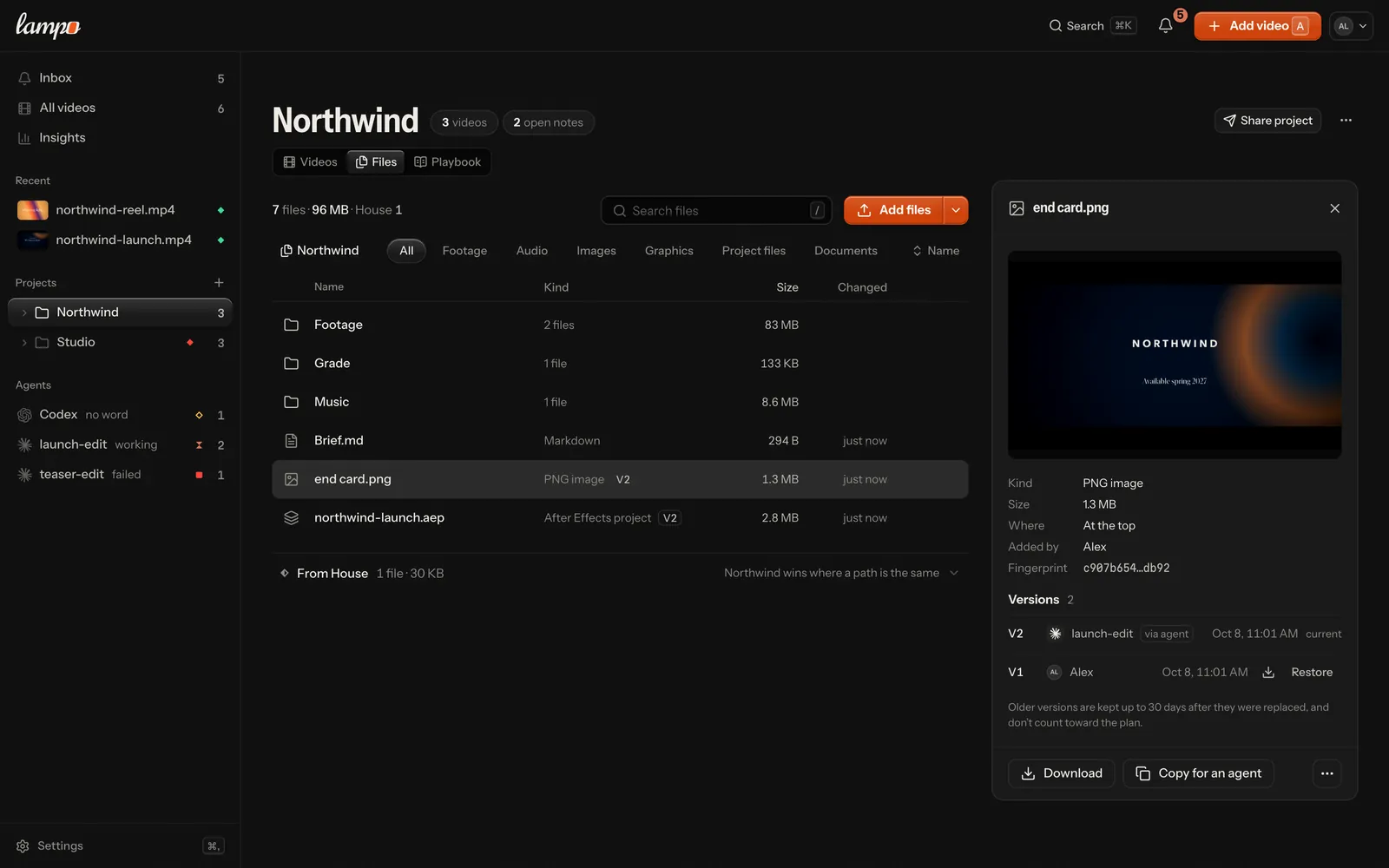
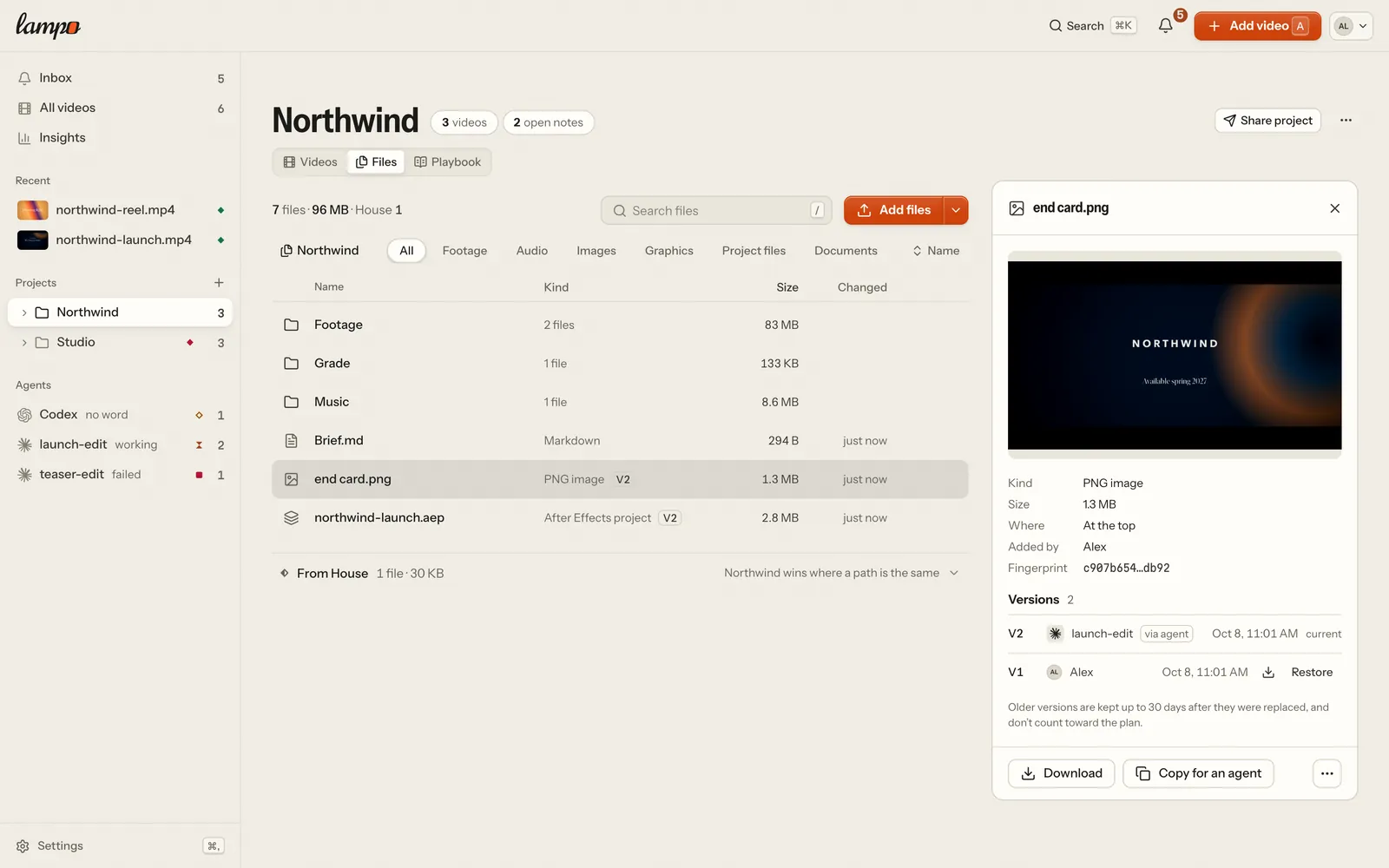
- The list: the area's folders, then its files — what each is, its version, its size, who changed it last (an
agent with its mark), when. What it inherits from its project and the House is folded under it. Search looks in
every folder inside; the kinds and the order narrow the list in place. Keys: ↑↓ (⇧ to pick), ↵ opens, Space looks,
⌫ trashes (with Undo), ⌘A picks all, ⌘↑ goes up a folder,
/searches. - Adding: drop files and folders anywhere on the tab, or Add files (a folder, or a new empty folder, from its menu). Before a byte moves, one sheet says what will happen: what is already in Lampo (the browser hashes files up to 256 MB and asks), which files become a new version, what is left out (junk), and whether it fits the plan. The uploads run in the upload tray over tus, three at a time, each file's one-time upload URL asked for a few files ahead (a URL lives 15 minutes; one that ran out before its file started is asked for again by itself): they resume after a dropped connection, and dropping the same folder again after a reload continues where each file stopped. Signing out stops them and forgets them, and what the browser kept to resume them. A file someone changed while yours was on its way is never overwritten: the tray names who changed it, with Keep both (yours lands beside it) or Replace. A file you made the day's versions of already (each person's own, with their agents) waits there with the time it takes your next, and Save as a copy lands yours beside it now; Restore in a file says the same.
- A file, opened: beside the list on a wide screen, over it on a narrower one, a sheet from the bottom on a phone.
Pictures, video, sound and plain text show in the sheet; a PDF opens in a tab of its own (Open); anything else
downloads. Every version kept, who made it and whether an agent did, Restore and Download per version; rename,
move (also into another project's files), trash, and Copy for an agent: the
lampo files pullline that fetches exactly the files picked. An address naming a file that isn't there any more says so, with the way back. - The trash: at the foot of the area's top, Restore. Each file says when it goes (
purge_at: up to 30 days), an older version until when it is kept (kept_until). A member trashes what they added; owners and admins anyone's. - The plan: where a billing provider runs, the foot says what files and videos take of the plan's storage, the head says when it is nearly full, and Settings → Billing and the plan's sheet split the storage into videos and files.
API
The routes are in api.md; the shapes in undefined ("project files").